Files
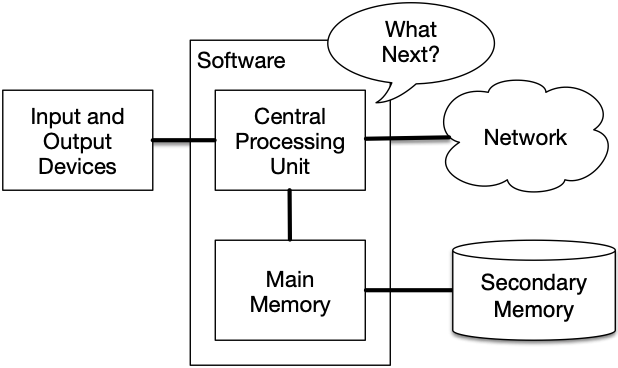
Storage
- Instructions are executed by the CPU
- Values and variables as discussed so far live in main memory
Persistence
- Main memory is cleared when unpowered
- Long-term storage must use secondary memory


Files
- Files are the abstraction used for long-term storage
- Files are typically organized in a hierarchy
- Files typically have human-readable names
Opening Files
- The
openfunction may be used to open a file - It requires a filename as a parameter
- It returns a file handle
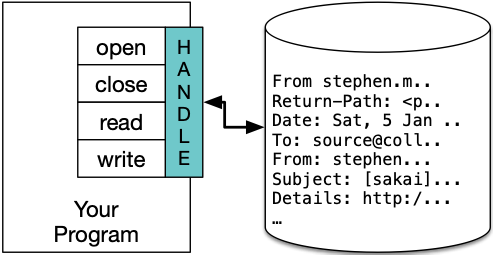
Read Example
Closing Files
- When we are finished with a file, we should close it to free resources in our programs
Close Example
Reading Closed File
Lines
- Plain text may be separated into lines for easier consumption
- Lines are separated by a special character called a newline
- We can create a newline character in Python using a
\nescape sequence
Example
Reading Lines
- It may be helpful to read a file one line at a time
- Paragraphs may be represented this way in documents
- Data formats may use lines to separate records
Reading Lines
- The
readlinemethod will return the next line as a string value - The
readlinesmethod will return an iterable of all lines - The file handle can be iterated directly to operate on lines
Example
Example
Exercise
- Create a plain text file with numbers on each line
- Create a Python program that prints the sum of the numbers in the file
Solution
Key Ideas
- Main memory is volatile and files provide non-volatile storage
- We can use the
openfunction to get a file handle - We can use
readto load a string from a file